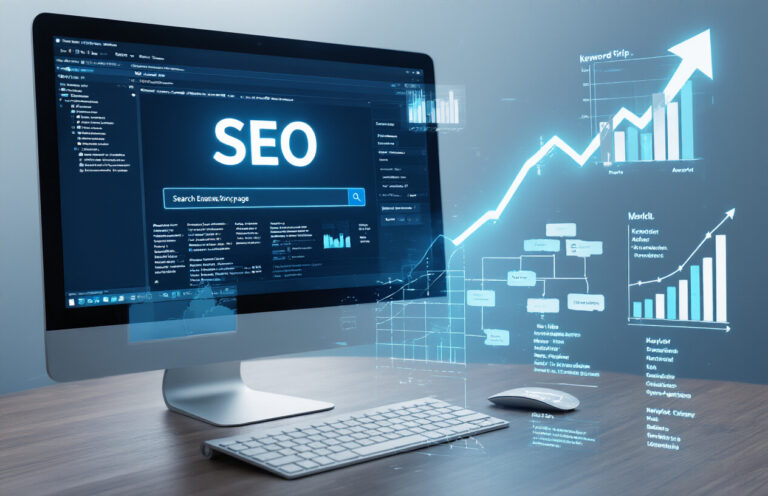
SEO (Search Engine Optimization) helps websites rank higher in Google and other search engines. This guide is for small business owners and marketing beginners who want to attract more customers online without paying for ads.
We’ll cover the essential building blocks of SEO, including:
Let’s break down SEO into practical steps you can start using today to grow your online presence.

SEO stands for Search Engine Optimization. It’s the process of improving your website so it ranks higher in search engines like Google.
Think about the last time you searched for something online. Did you click past the first page of results? Probably not. Most people (over 90%) stay on page one. That’s why SEO matters – if you’re not visible in those top spots, you’re essentially invisible online.
Good SEO means more visibility, more traffic, and more opportunities to convert visitors into customers. It’s not just about attracting any visitors, but the right ones – people actually looking for what you offer.
Search engines are like massive librarians that constantly crawl the internet, scanning and indexing billions of web pages.
When you type a query, three main things happen:
The ranking part is where things get interesting. Google uses over 200 factors to decide which pages deserve the top spots. These include keyword relevance, page loading speed, mobile-friendliness, and backlinks from other sites.
As explained in ASMAT’s guide on tracking Google rankings, understanding how you currently rank is the first step to improvement.
When you search for something, you’ll see two types of results:
| Organic Results | Paid Results |
|---|---|
| Earned through SEO | Purchased through PPC advertising |
| Free clicks | You pay per click |
| Takes time to build | Immediate visibility |
| Long-term strategy | Can stop instantly when you stop paying |
| Higher trust from users | Clearly marked as ads |
Both have their place, but organic results typically get more clicks because users trust them more. While paid ads can deliver quick results, organic SEO builds lasting value.
In today’s digital world, your website is often the first impression potential customers have of your business. Without SEO, you’re leaving money on the table.
Consider these benefits:
Even small businesses can compete with larger companies through smart SEO. The key is consistency and staying updated with best practices.
According to ASMAT’s digital marketing career insights, SEO remains one of the most valuable skills in today’s job market precisely because so many businesses recognize its importance.
Want your pages to rank better? Start with killer title tags. These little snippets pack a serious punch in the SEO world. Your title tag is often the first thing people see in search results, so make it count!
Keep your titles under 60 characters to prevent Google from cutting them off. Front-load your primary keywords so search engines understand what your page is about right away. But don’t just stuff keywords—craft compelling titles that make users want to click.
Try this formula: Primary Keyword + Secondary Keyword + Brand Name
For example: “On-Page SEO Techniques That Actually Work | ASMAT”
Remember to create unique title tags for each page. Duplicate titles confuse search engines and waste ranking opportunities.
Your meta description is your 160-character sales pitch. While it doesn’t directly impact rankings, a good meta description dramatically boosts your click-through rate.
Include your target keyword naturally, but focus on creating a description that sparks curiosity or highlights a specific benefit. Ask a question, mention a statistic, or make a bold promise.
For example: “Struggling to rank? Learn the exact on-page SEO techniques that helped our clients increase organic traffic by 237% in just 3 months.”
Don’t leave this to chance! Google might create auto-generated descriptions if you don’t write them, and you’ll miss a prime opportunity to control your messaging.
Headers aren’t just for making text bigger—they’re crucial for SEO success. Think of your H1-H6 tags as an outline for both readers and search engines.
Your H1 should contain your primary keyword and match user intent. Then use H2s and H3s to organize subtopics, naturally incorporating related keywords.
Good header structure makes your content more scannable for readers and helps search engines understand your content hierarchy. Plus, well-structured content has lower bounce rates because readers can quickly find what they’re looking for.
Want to check if you’re doing it right? Take a look at this comprehensive guide on tracking your Google rankings to see if your header optimization is paying off.
Did you know heavy images can tank your page speed and rankings? Here’s how to fix that:
Page speed is a direct ranking factor, so optimizing your images gives you an edge over competitors with bloated pages.
Strategic internal linking is one of the most underused SEO weapons. When you link to your own content, you help search engines discover and understand your site structure while keeping visitors on your site longer.
Follow these internal linking best practices:
Internal links pass link equity throughout your site and reduce bounce rates. They’re also completely within your control, unlike backlinks that depend on other sites.
For more advanced strategies, check out ASMAT’s complete digital marketing guide which covers everything from basic SEO to advanced techniques.

Backlinks remain the backbone of your off-page SEO efforts. But not all backlinks are created equal. Quality trumps quantity every time. When reputable websites link to yours, search engines view your content as more trustworthy and authoritative.
To build valuable backlinks:
Remember to focus on relevance. A link from a site in your industry carries more weight than random links from unrelated domains. As the team at ASMAT points out in their guide, monitoring your backlink profile regularly helps you track progress and identify opportunities.
While social signals aren’t direct ranking factors, they amplify your content’s reach and indirectly boost SEO. When your content gets shared across platforms, it increases brand visibility and drives traffic.
You should:
Guest blogging positions you as an authority while securing valuable backlinks. But don’t just post anywhere—target sites with engaged audiences that overlap with yours.
For effective guest posting:
If you run a local business, citations (mentions of your business name, address, and phone number) are critical for regional SEO success. Consistency across platforms signals legitimacy to search engines.
Start by:

Gone are the days when you could ignore mobile users. Now, over 60% of searches come from mobile devices, making mobile optimization non-negotiable.
Your website must be responsive—meaning it automatically adjusts to fit any screen size. Test this by simply resizing your browser window; your site should look good at every width.
You also need to consider:
Google uses mobile-first indexing, which means they primarily use your mobile site version to rank your pages. If your mobile experience is poor, your rankings will suffer—period.
Check where your pages rank on Google to see if mobile issues might be hurting your visibility.
Slow websites kill conversions. For every second your site takes to load, you lose about 7% of potential conversions.
Quick wins to speed up your site:
Use Google PageSpeed Insights to identify specific issues slowing down your website. Sometimes, the simplest fixes make the biggest difference.
Remember: mobile users are especially impatient. If your site takes more than 3 seconds to load, about half your visitors will bounce.
XML sitemaps are your direct communication line to search engines. Think of them as a roadmap that helps Google find and understand all your important pages.
To create an effective sitemap:
Once created, submit your sitemap through Google Search Console. This simple step often results in faster indexing and better coverage of your site.
For WordPress users, plugins like Yoast SEO or Rank Math automatically generate and update your sitemap.
Schema markup is like giving search engines cliff notes about your content. It helps them understand exactly what your page is about.
When you implement schema correctly, you might earn rich snippets—those eye-catching search results with stars, prices, or other details that dramatically improve click-through rates.
Common schema types worth implementing:
You don’t need coding skills to implement schema. Tools like Google’s Structured Data Markup Helper can guide you through the process.
HTTPS isn’t just a nice-to-have—it’s essential for SEO and user trust. Google explicitly gives a ranking boost to secure sites, and Chrome labels non-HTTPS sites as “Not Secure.”
The benefits of switching to HTTPS include:
If you’re still on HTTP, making the switch should be a priority. Most hosting companies now offer free SSL certificates through Let’s Encrypt, making security accessible for everyone.
After migration, make sure to update all internal links and set up proper 301 redirects from HTTP to HTTPS to preserve your SEO value.

Ever wondered if your SEO efforts actually work? You need to track the right metrics. Start with organic traffic—this shows how many visitors find you through search engines without paid ads.
Keyword rankings matter too. Are you climbing up the search results for terms that drive business? Monitor your positions weekly.
Conversion rate tells you if visitors take action once they arrive. Whether it’s signing up for newsletters or making purchases, this metric connects SEO to real business outcomes.
Don’t overlook bounce rate and time on page. When visitors stick around, Google notices that your content satisfies user intent.
Backlink quality and quantity build your site’s authority. Focus on earning links from reputable sites in your industry.
Google Analytics is your SEO command center. Start by installing the tracking code on every page of your website.
Create custom dashboards that spotlight your key metrics at a glance. Want to check where your page ranks on Google? Analytics helps you connect those rankings to actual visitor behavior.
Set up conversion goals to measure what matters to your business—form submissions, product purchases, or content downloads.
Segment your data to uncover hidden patterns. Compare new vs. returning visitors, mobile vs. desktop users, or traffic from different search engines.
Enable site search tracking to discover what visitors look for once they’re on your site—instant keyword research!
Google Search Console gives you direct insights from Google itself. The Performance report shows exactly which queries bring visitors to your site, their click-through rates, and average positions.
The Coverage report flags technical issues that might prevent your pages from appearing in search results. Fix these problems first!
Use the URL Inspection tool to see how Google views specific pages and troubleshoot indexing issues.
The Core Web Vitals report measures user experience factors that impact your rankings. Poor page speed or mobile usability can tank your SEO efforts.
Check the Links report to see who’s linking to you and which pages receive the most backlinks.
Knowing what works for your competitors gives you a shortcut to SEO success. Tools like SEMrush, Ahrefs, and Moz let you peek behind their curtains.
Analyze their top-performing content. What topics get the most engagement? Which keywords drive their traffic? You can often find gaps they’ve missed.
Study their backlink profiles to discover potential link-building opportunities for your site. If a resource links to them, they might link to you too.
Compare technical factors like page speed, mobile-friendliness, and site structure. Sometimes small improvements here can give you an edge.
Monitor their content publishing frequency and social media engagement. SEO isn’t just about keywords—it’s about building audience relationships that competitors might be neglecting.

Mastering SEO is essential for any business looking to thrive in today’s digital landscape. From optimizing on-page elements like keywords and content to building authority through off-page strategies and ensuring technical foundations are solid, effective SEO requires a comprehensive approach. The ability to measure your success through analytics allows you to continuously refine your strategy for better results.
Start implementing these SEO fundamentals today to improve your website’s visibility and drive meaningful traffic. Remember that SEO is not a one-time effort but an ongoing process that evolves with search engine algorithms and user behavior. By staying informed and consistently applying these principles, you’ll position your business for long-term online success and growth.